
Choregraphe Error: msvcr100.dll Was Not Found
Did you install the latest Choregraphe and received this error? System error The code execution cannot proceed because MSVCR100.dll was not found.
Did you recently install Choregraphe 2.8.5 or higher for your V6 and received this error? Choregraphe-bin.exe – System error The code execution cannot proceed because MSVCR100.dll was not found. Reinstalling the program may fix this problem.
There are actually two files you might need to add manually to your system folder in order to get Choregraphe operational again.
Clicking on a file name below will download the missing .dll
1. Download the files and copy them into the following system directories:
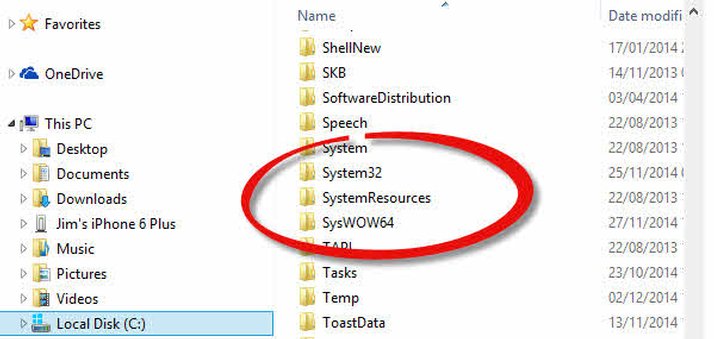
C:WindowsSystem32
C:WindowsSysWOW64 (If that folder doesn’t exist, you probably don’t have 64-bit Windows.)
If you get an error saying the file already exists in that folder, then cancel that operation.
2. Launch Choregraphe again and it should now run – or complain that another DLL file is missing. If it still asks for the same file or files, try rebooting your computer.