RobotLAB BOX keeps evolving – release notes
RobotsLAB BOX lessons and updates change log
We work closely with our amazing teachers and awesome customers to continuously develop more lessons, add features, and improve existing lessons.
We would like to thank our community for all the feedback and the great ideas that we continue to incorporate into the RobotLAB BOX — please, keep the suggestions coming!
A new version of the software is released and ready for download every semester — please make sure your version is up to date. The update process is very easy, just follow the instructions here.
The following is a partial log of the latest changes:
Upcoming release:
- RobotsLAB BOX is now available in Spanish;
- The graph for all the lessons is now presented in English units as well as SI metric units;
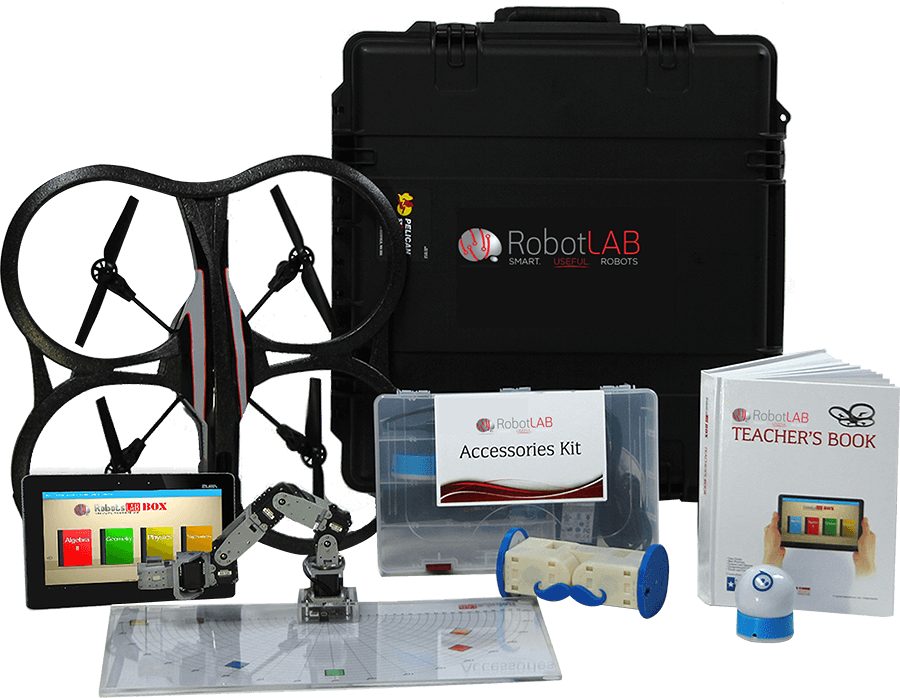
- Teachers book PDF has now joined the RobotsLAB folder on the tablet that also includes quizzes, quiz answers and videos for each lesson;
- The Launcher has now new capabilities- check the About menu item;
- New shortcut to the Launcher will be added at the end of the update process;
- The virtual reality grid at Sphero lessons has been changed and now is always visible;
- Improved lesson layout when connected to projectors or smartboards;
- The lesson control panel now contains default values for each lesson for ease of use;
- ArmBot lessons can now support both ArmBot versions (ArmBotV2.0 & ArmBotV2.1).
Release notes for End-Of-School version 1.16:
- Addition of a “Robots” page to the Launcher! Everything that you need to know about the robots is here: how to operate them, battery life, all the lessons using the specific robot. We’ve also added a short instructional video for each robot.
- The screen of the tablet is now always on (the screen saver is disabled) until the lesson is ended.
- Automatic connection is added- just press the “Ready?” button on the preparation list at the beginning of each lesson, and the lesson will automatically connect to the robot.
- Investigation control panel can now support fractions as well.
- The graph can now support fractions and negative quadrants as well;
- Smooth and relaxed motion of the Ar.Drone (quadcopter). It tracks the shape in the center of the mat and adjusts its position, changing direction accordingly. Make sure you clear the surface from chars, tables… otherwise, it will measure its height related to the object and not the mat/floor.
- Launcher content for each lesson is more descriptive.
- More quizzes!
- More lessons! More instructional videos!
Have problems? want to learn more?
Please fill the form on the right side.